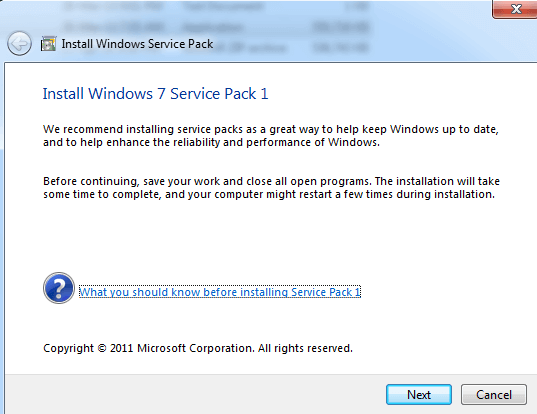
Windows 7 Service Pack 1 (also known as Windows 7 SP1) is one of the most important system updates for the Windows 7 operating system. It contains several new updates that improve Windows performance, provide stability to the computer system, and increase system security by patching security holes and fixing bugs in the operating system.
Windows 7 SP1 full version also contains all the previously released updates delivered over Windows Update for the OS. Download the Windows 7 Service Pack 1 offline installer for Windows 7 32-bit and 64-bit platforms for free. Get Windows 7 SP1 KB976932 update from Microsoft’s official site on SoftShareNet.
Overview of Windows 7 Service Pack 1
Windows 7 Service Pack 1 is available as a standalone installer, which is a single installation package containing a collection of security features and updates designed to make your computer system more reliable and safe. By keeping your computer system up to date, this service pack ensures it remains secure and improves compatibility with new software.
How to Get Windows 7 SP1 from the Official Source
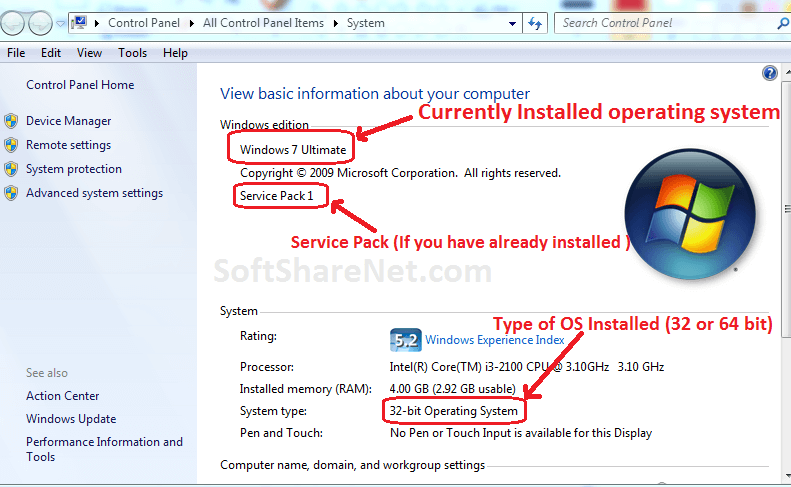
Because this Windows Service Pack comes in two versions, 32-bit (x86) and 64-bit (x64), each is specifically developed for a particular Windows platform. A 32-bit version of Windows requires the 32-bit (x86) service pack, whereas a 64-bit version of Windows requires the 64-bit (x64) Service Pack. Therefore, before downloading any service pack, you will need to determine whether your PC is running a 64-bit (x64) or 32-bit (x86) version of Windows 7.
To check which Windows platform (version) you are running:
- First, click the Start button.
- Next, right-click Computer.
- Then, select Properties.
- The specific version of Windows 7 will be displayed right next to the System type.
You can download this Service pack (Windows 7 SP1) by using the download links listed on this page. Since the Windows 7 Service Pack 1 offline installer files are quite large, it is recommended to use a download manager app like IDM or Free Download Manager (FDM) to download the service pack.
How to Install Windows 7 Service Pack 1:
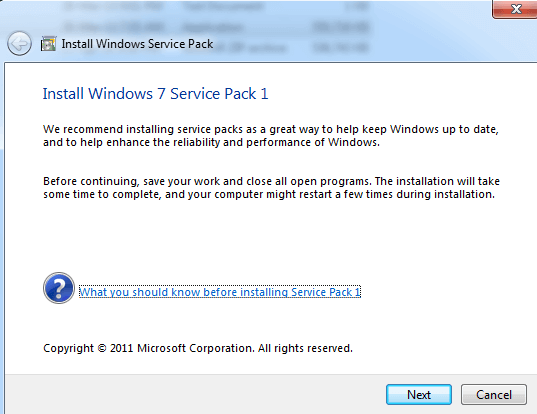
First, download the appropriate version of the service pack according to your operating system. After downloading the setup file, find it in the download folder and then double-click on it. Now click Yes on the next pop-up window to allow this program to make changes to the computer and then click Next. There are a few steps where you need to click Next or have to accept the software terms and conditions to start the installation process of Windows 7 Service Pack 1. It takes about 30 minutes or more to install, and your computer will restart in the middle of the installation.
Technical Details:
- Program Name: Windows 7 SP1
- Developer: Microsoft.
- Version: KB976932
- Category: Utilities/System Update
- Installer Type: Offline Installer
- File size: —
- OS Required: Windows 7 (32 & 64 bit)
Download Windows 7 Service Pack (SP) 1 Full Offline Installer:
Download for Windows 32-bit, Size: 537.8 MB
Or Download SP1 for Windows 7 64-bit, Size: 903 MB
Or
Service Pack 1 for x64-based Windows Server 2008 R2 Systems
Size: 903 MB
Download Windows 7 Service Pack 1 (32-bit) offline installer from its official website using the above downloads and make your computer up-to-date, faster, and secure. This Windows 7 SP1 offline installer does not require an active internet connection to install it. Also, you can use this installer file to install this program on other computers again and again.

Notified by windows will not run on my windows 10 system. This computer started as win 7 64bit
and upgraded up to win 10,2004 load. Uploading upgrade of my VPN, it fails saying I need 7 SP1.
I am trying to upgrade my “AVExpress VPN”. to match the windows load I am operating on.