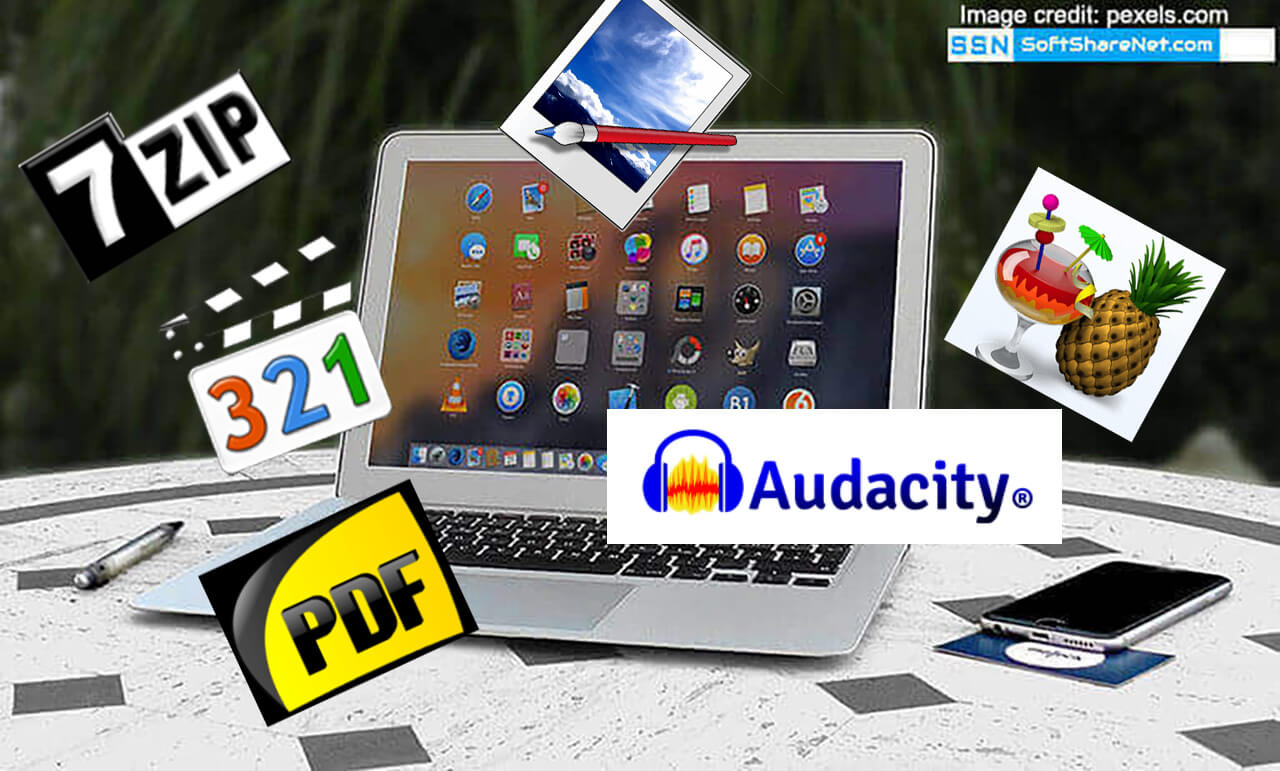
A Windows PC is one of the most essential devices in our daily lives, and our dependency on digital tools grows every day. To perform specific tasks, a computer requires a combination of hardware and the right software programs. Without the right PC utilities, even the most powerful computer is limited in what it can achieve. Therefore, installing essential additional software is a must to make your system truly functional. While thousands of programs exist, we have curated a list of the most important free software for Windows PC users, all of which are completely free for personal use.
Windows remains the world’s most popular operating system. However, a fresh installation of Windows 11 or Windows 10 lacks several built-in tools needed for professional and daily tasks. When you buy a new computer or perform a clean Windows install, it is imperative to add these must-have apps to extend your PC’s functionality and boost productivity and efficiency.
Quick Summary: Top Recommended Software for 2026
| Category | Top Choice (Free) | Key Feature |
|---|---|---|
| Web Browser | Google Chrome / Edge | Speed & Ecosystem Sync |
| Antivirus | Avast / Windows Defender | Real-time Threat Protection |
| Office Suite | LibreOffice | Full Offline MS Office Alternative |
| PDF Tool | Foxit Reader / Sumatra | Editing & Lightweight Viewing |
| Media Player | VLC Media Player | Plays All Video/Audio Formats |
| File Archiver | 7-Zip | Open-source and lightweight |
11 Most Important Software for Windows:
In this guide, we highlight the 11 most important free software for Windows 11 and 10 in 2026. Installing these top-rated free programs will help you work faster and ensure optimal PC performance. Best of all, you can directly download these essential tools for free using the links provided below.
Related Post:
13 Small and Most Useful Software for Windows PC

1. Internet Browser:
In a PC, an internet browser or web browser is one of the most used applications. Nowadays, almost all the online works, such as banking, shopping, sending money, reading books, etc, are done through an internet browser. Therefore, a web browser must be secure, fast, and simple. There are many internet browsers available for a Windows PC, but a few of them are actually well-built and provide the best features and security. Here are the 4 such good browsers for Windows users.
Google Chrome web browser:
A web browser is a piece of software used to surf the internet or browse any website on your PC and perform online tasks. It is one of the must-have and most important software for Windows PC. A web browser should be simple, powerful, and most importantly, secure. Because all the online activities we perform, such as browsing the internet, online shopping, online banking, sending e-mails, chatting, etc, are done through the web browser.
There are lots of web browsers available for Windows, but many of these lack the features that Chrome has, and are unable to compete with Google Chrome in several factors, like speed, security, and performance. Google Chrome is developed by Google and is considered the most popular web browser in the world. It is a powerful web browser with a great user-friendly interface and many useful features. It provides a very secure web browsing environment. It also has its own extension store called Chrome Web Store, which allows users to use hundreds of free plugins, themes, and useful extensions to customize their browser for free.
You can download the offline setup of the latest Google Chrome browser for Windows 11, 10, and the legacy version for old Windows 7 using the link below.
Learn more about Google Chrome
Mozilla Firefox web browser:

Mozilla Firefox is another popular and powerful web browser developed by Mozilla Corporation. It is an open-source, cross-platform, free web browser available for Windows and many other operating systems. Firefox is widely popular due to its browsing speed and security. You can use both Firefox and Google Chrome at the same time on a PC if you need more than one web browser. Firefox can also be used as an alternative to Google Chrome.
Like Google Chrome, Mozilla also provides hundreds of useful plugins and add-ons, such as password managers, beautiful themes, search filters, SEO related plugins, media players, etc. These add-ons are a great way to make the browser productive, secure, and easily customizable. You can find these add-ons here.
Here you can download Mozilla Firefox for Windows 10, 8, and 7 (both 32-bit and 64-bit) from the official source through the links given below:
Learn More About Mozilla Firefox
Microsoft Edge:
The chromium-based Microsoft Edge is the default browser in the latest Windows 10 and Windows 11 operating systems. Microsoft replaced the older Internet Explorer with the newly developed Edge browser as the default Windows web browser. It was released publicly in 2020 and now comes pre-installed with the Windows OS. Microsoft Edge offers many modern features, an integrated AI tool Copilot, modern web app compatibility, security, and many other tools and features. Like Chrome and Firefox, it also has a huge library of browser extensions. As built using the Chromium source code, it also supports Chrome browser extensions.
Opera browser:

Opera is another popular web browser for PC that provides an efficient and personalized web browsing experience as well as fast browsing speed. This popular internet browser has several useful features such as fast web browsing, built-in VPN, integration with social messenger, unit converter, ad blocker, battery saver, and many more.
You can customize Opera with dark and light themes, wallpapers, bookmarks, and other options, and it reduces online tracking and protects your browsing from all with its integrated VPN. It is fast, lightweight, and easy to use. The lightweight mobile version of the Opera browser, known as Opera Mini, loads webpages faster even on a 3G network.
Brave Browser:
The Brave browser is one of the newly introduced web browsers that focuses on users’ privacy and safety, which was publicly released in 2019. Built on Chromium code, this privacy-focused internet browser provides stronger protection against tracking and data collection. That’s why many people love Brave and use it as the best alternative to Google Chrome. It has a built-in tracking protection and ad-blocking system, which removes unnecessary ads from a web page, prevents trackers from tracking your activities. These actions enhance users’ privacy, load the page faster, lower the data and battery usage, and let you work in peace of mind.
Get Brave browser for PC here.
2. PC Security and Antivirus Apps:
PC security applications are considered one of the must-have applications for a PC, as they keep your computer system secure by preventing the attacks of dangerous applications, malware, viruses, hacking attacks, phishing attacks, secures your network and other harmful threats. There are several paid and free antivirus applications available for Windows PC. As we were discussing the free ones, there are a few of them that are capable of protecting your computer from most modern online and offline threats like viruses, malware, etc. Here are some of the best PC security applications:
Avast Free Antivirus:
The Avast Free Antivirus is the leading free PC security product that is used by millions of users worldwide. It is fully free for personal use and offers powerful security protection from different kinds of threats. There are different types of malware available, and they are constantly evolving day by day. To keep your Windows PC safe from ransomware, phishing, and zero-day exploits, Avast provides the most reliable protection without a price tag.
It provides all the basic security needs for your PC. Apart from preventing virus and malware attacks, it is a comprehensive security hub that monitors your Wi-Fi network and blocks suspicious downloads in real-time. Some key features of Avast Free are CyberCapture (analyzes unknown files), Network Inspector, and a dedicated Do Not Disturb mode, etc.
Here are the links to download the latest version full setup of Avast Free Antivirus for Windows 32-bit and 64-bit versions.
Get Avast Free Antivirus for Windows here
AVG Antivirus Free:
AVG Antivirus Free is another powerful free PC security application for Windows PC and is also available for Mac OS. AVG free version provides all the basic but essential security protection for your PC. Although, AVG is wwned by the same parent company as Avast but it offering a slightly different, more streamlined interface. AVG is perfect for users who want powerful protection without impacting the performance of the PC. You can use AVG Free Antivirus as an alternative to Avast Free Antivirus.
You can download the latest version of AVG Free Antivirus for Windows 32-bit and 64-bit through the links below.
ZoneAlarm Free Firewall:
It is strongly recommended to use a firewall program on your PC if you are using a free antivirus program, as most free antivirus programs do not provide firewall protection. A firewall is a network security system to controls the incoming and outgoing network traffic and prevents your computer from unauthorized access, done through the internet.
The ZoneAlarm Firewall is one of the best free firewall applications that supports all Windows editions such as Windows 11, 10, 8, and Windows 7. It provides strong firewall protection to protect your computer from criminal attacks, malware, etc. It is fully compatible with Windows Defender and other antivirus solutions.
Get the latest edition of ZoneAlarm Free Firewall for Windows from this official source:
A Note on Windows Security:
Microsoft’s built-in Windows Defender is significantly better than it used to be. For many average users, keeping Windows updated and using Defender is enough. However, the third-party tools listed above offer better anti-phishing and identity protection tools that Windows lacks by default.
3. Download Manager:
Free Download Manager (FDM):
The software used to manage all the download tasks of a PC is called the download manager app. This app helps us by accelerating the download process. It also allows us to pause and resume any downloads. Most of the download manager apps are capable of resuming downloads even after shutting down the PC.
The built-in download manager of a web browser is not reliable, as we have seen so many times, as it can’t handle the download task properly. They don’t have pause and resume capabilities. That means they do not even have the necessary functions they should have. Therefore, we need reliable software for a PC that is capable of managing all the download tasks. The Free Download Manager, also known as FDM, is a powerful software that can control our PC’s download tasks properly. It is a freeware download handler application for Windows PCs. It is capable of pausing and resuming your downloads, and it also maximizes the download speed.
Get FDM 64-bit and 32-bit for Windows PC.

4. File Archiver:
7-Zip File Archiver:

A file archiver is another must-have and important software for a Windows PC. This utility app helps you to create zip files and unzip and open any zip files. 7-Zip is an open-source, free file archiver software for Windows. It allows you to compress and put many file formats like images, videos, documents, audio, or any type of files and folders in an archive file or zip file. Zip files are easy to transfer over the internet.
This powerful open-source file archiver was developed by Igor Pavlov, and you can get the latest 7-Zip using the link below:
Best Free Offline Dictionary app for Windows]
WinRAR:
In the field of File Archive manager apps, WinRAR is the number one contender with many useful tools and features. It is a powerful archive manager and file compression tool, offering many integrated functions that help users manage and organize their compressed archives easily. If we talk about its key features, it offers powerful file compression, strong AES-256 encryption, support for several archive formats, such as RAR, ZIP, 7Z, ISO, TAR, etc., splitting large archives, password management, creating self-extracting archives (SFX), and many others.
Even though WinRAR is a paid archive manager, it provides a 40-day free trial period. But after the free trial period, you can still use it for free without any restrictions on its functionalities, but only with a persistent nag screen that asks you to buy the full version, and you need to close that pop-up every time.
5. Free Office Suite:
LibreOffice:
An Office Program is very useful for us to do our daily work on a computer, like writing applications, preparing a presentation, preparing a bill, and many other important tasks, and therefore, it is another important software for Windows PC. If you are thinking about a complete office suite for free, LibreOffice is worth a try.
LibreOffice is a powerful free office suite. It is a widely used open-source office package likethe Microsoft Office suite, that contains all the necessary applications like the word processor, spreadsheet, presentation maker, database, etc. It can be used as a full substitute for the MS Office program. LibreOffice also supports Microsoft Word (.doc, .docx), Microsoft Excel (.xls, .xlsx), Microsoft PowerPoint (.ppt, .pptx), etc. Here you can download LibreOffice full version for Free from their website using the link below:
6. VLC Media Player:

When it comes to a feature-rich free media player, the VLC media player always gets the top position in the list. VLC is an open-source cross-platform media player app, which is available for all versions of Windows and as well as other popular operating systems.
Whereas most media players need to download several external codecs to play some file formats, the VLC media player can play most multimedia file formats without downloading any codecs. Along with playing multimedia files as well as DVDs, Audio CDs, VCDs, etc, the VLC media player is also used to play various streaming protocols.
The VLC media player supports more than 15 subtitle formats, such as SRT, AQT, CVD, TXT, SSF, SUB, TTXT, PSB, PJS, JSS, SSA, SVCD, IDF, RT, and many more. You can also use the VLC media player to search and download the appropriate subtitle files for a movie/video from the web by using an extension called VLsub.
Here are the official download links to download the VLC media player app for Windows 10, 8, 7, Vista, and Windows XP (for both 32-bit and 64-bit OS)
Visit VLC Official Download page here
7. PDF Reader and Editor
Foxit PDF Reader:

We all know that the PDF (Portable Document Format) file format has become one of the most popular document formats that can be used in almost any computing device, including smartphones. PDF files are easy to transmit over the internet and also have many useful functions. You can sign a PDF digitally or encrypt a PDF file easily. The applications used to manage the PDF file format are called PDF Reader or PDF Editor.
There are so many free and paid PDF files out there, but the Foxit Reader is quite popular due to its extraordinary features. It is a free software capable of managing a PDF in different ways. It can view, print, zoom, and rotate PDFs as well as modify PDFs easily. Foxit Reader is also capable of converting several file formats, like Word documents and Excel files. PowerPoint Presentation instantly as you can integrate Foxit Reader with Microsoft Office software.
Click here for the Foxit Reader download page:
Besides Foxit Reader, there are several other free PDF reading software available, and you can download the other 5 best free PDF readers for Windows here.
Sumatra PDF (The Most Lightweight Free PDF Reader):
If you are searching for a free and lightweight PDF reader, then Sumatra PDF is the ultimate choice. This tiny but powerful PDF reader allows you to read, print, and rotate PDF files. Also, it starts up instantly, supports PDFs, supports several eBook formats (such as ePub, Mobi, etc.), and even comic book files (CBZ), and has a little impact on the system. If you find Foxit too “heavy” or feature-rich, Sumatra PDF is the best alternative. It is an open-source application and can be used anywhere without any restrictions.
8. Graphics Editor
GIMP Free Image Editor:

GIMP or GNU Image Manipulation Program, is an open-source image editing software. It is one of the best free graphic design tools for Windows as well as some other operating systems. GIMP offers a wide range of image editing tools and presets, and it also supports various external plug-ins to extend its capabilities. The GIMP is the best free alternative to the popular image editing program Adobe Photoshop.
You can download GIMP’s latest version for Windows using the link below.
9. Remote desktop application
AnyDesk Remote Desktop:
AnyDesk is a free cross-platform remote desktop application for Windows and is also available for other operating systems. It allows you to control and operate your desktop or any other PC remotely (which you are allowed to operate) from anywhere in the world, and also allows you to access its data.
The official download link to download AnyDesk for Windows is below.
Click here to get the AnyDesk installer for Windows.
Security Tips for AnyDesk users:
Remote desktop tools like AnyDesk are often used in “tech support scams”. Therefore, only share your AnyDesk ID with people you know and trust. Never give access to your computer to unsolicited callers claiming to be from “Microsoft Support” or other official persons.
10. Offline Dictionary
WordWeb Free Offline Dictionary:
The dictionary software is another essential piece of software for a personal computer. It is very useful for all computer users, whether he is a students, teachers, bloggers, or writers. WordWeb is a very reliable free offline English dictionary and thesaurus for Windows PC. It provides one-click word lookup features to search for a word instantly. It includes more than 130000 synonym sets, 165000 root words, and 70000 pronunciations in its database. The size of the WordWeb installer is approximately 23 MB.
You can download the official WordWeb free offline English dictionary for Windows using the link below.
11. Video Converter:
Format Factory Free Video Converter:
A media converter application is very useful for a PC and another important software for Windows. It helps us convert media files like video, audio, and images from one format to another. The Format Factory is one of the most popular and useful free media converter applications. It can convert almost all types of video and audio files to different video and audio formats. It is also capable of converting any video to popular image formats like JPG, BMP, PNG, GIF, etc.
Developed by Free Time, Format Factory is a free multimedia converter. It supports Windows 11, 10 and even the old Windows 7 PC. Click the download link below to go to the download page and download Format Factory:
Conclusion:
These are the most important software for Windows computers to help you handle everyday tasks with ease. By downloading these useful free PC apps, you can transform your computer into a much more productive workstation. We regularly update this list to reflect the latest versions and security standards. If you feel we missed any of the best free Windows applications or essential utilities, please let us know in the comments below, and we will update our recommendations.