A powerful and effective PDF reader is an essential application for every PC user. Your PDF reader should be lightweight, fast, and come without annoying ads, pop-ups, or bloatware so you can stay focused on your work. There are many PDF reader apps available for PC, but a truly best PDF reader offers beyond just viewing files, offering powerful features to read, print, sign, edit, and collaborate on any Portable Document Format (PDF) file for free. If you’re looking for the best free PDF readers for Windows PC, you can check this list of the 7 best free PDF readers for Windows that are packed with amazing tools and zero hidden charges.
What is a PDF Reader?
The Portable Document Format (PDF) has become the most common and popular file type for securely publishing and sharing documents like manuals, forms, eBooks, and statements. PDF files are easy to transmit and are easily readable on any platform (PC, Mac, mobile). The software application used to open, view, and interact with this file type is called a PDF Reader or PDF Viewer. A lightweight PDF reader is a must-have for every computer, helping you to effortlessly read, view, or print your important PDF documents.
7 Best Free PDF Readers for Windows PC:
Today, we’re sharing the 7 best free and lightweight PDF reading software available for Windows PC (including Windows 11, 10, and 7). These top-rated applications are powerful enough to handle any PDF file and often include free PDF editing, converting, and advanced annotation tools. If you want to download a powerful PDF reader and editor for your desktop or laptop, you can find the perfect option here.
Also, you can download the new version of these most popular PDF readers and editors for Windows and other platforms easily. These free PDF readers are lightweight and powerful enough to handle any PDF files and also, and some even can convert other documents to PDF format.
There are various types of popular PDF reader applications available. Each application has its own characteristics. Some PDF readers can only read and print PDF documents and some are capable of reading, printing, editing, converting, etc. In this post, we are going to write about the 5 best free PDF applications for Windows PC, and you can download these applications here too.
[Related: Powerful but Lightweight Apps for PC]
Slim PDF (Smallest PDF Reader for PC):
The Slim PDF (version 1.0) calls itself the smallest PDF reader in the world for PC. It is developed by Investintech PDF Solutions. This small PDF reader is a very simple reader, having the basic features of a PDF reader. Besides reading PDF files, Slim PDF is capable of printing PDF files, rotating, zooming, searching PDF files, going to a specific page, skipping to the last sheet or first sheet, adjusting zoom values, etc.
Although Slim PDF does not have all the much-needed features, one of the main advantages of Slim PDF is the size of the program. It is a tiny application and it requires very little system resources and does not affect other programs on the computer. The size of the Slim PDF installer is only 1.43 MB, and the size after installation is also less than 5 MB.
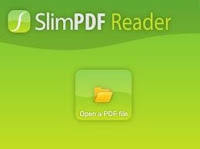
Slim PDF supports almost all Windows OS from the version Windows XP to Windows 10, 32-bit and 64-bit. In 2020, Investintech PDF Solutions released version 2.0 of Slim PDF after adding many new and essential features. Version 2.0 is quite larger than the previous version and also includes several pro features.
Get Slim PDF version 2.0 from here
Cool PDF Reader (Smallest PDF Reader and converter):
Just like Sumatra PDF, the Cool PDF Reader is another lightweight PDF viewing software for Windows PC. Along with all the primary features required to handle a PDF file, Cool PDF also includes a conversion feature that lets you convert PDF files to images and text files. It is a great advantage of Cool PDF Reader over Sumatra PDF. It is published by pdf2exe.com.
[Most Popular Article]
14 Must-Have Essential Software for Windows PC
5 Best Free Video Converters for PC
MuPDF (Free and Open-source):
MuPDF is another open-source, small PDF reader for Windows. It allows users to view and edit PDFs, fill out PDF forms, and annotate PDF documents. You can also use it to view XPS and several e-book formats. The latest version also supports the Photoshop PSD image format. It is a very fast PDF reader and comes with handy features like basic editing capabilities and converting PDF files into other formats, such as HTML or SVG.
MuPDF is a lightweight app that can be useful when you need to view PDF files frequently, as it loads PDFs very fast, needs fewer system resources to run, and has basic PDF editing features.
Sumatra PDF (Supports PDF, eBook Formats):
Sumatra PDF is another simple but popular PDF reader software that runs on almost all Windows Operating systems. Sumatra PDF is an open-source PDF reader, and it can also be used to read ePub, MOBI, CHM, XPS, DjVu, CBZ, and CBR file formats on Windows. Like Slim PDF, it is also a very small application for reading PDFs. The size of its installer is under five MB.
Sumatra PDF also has the basic but essential features required to handle a PDF file. It can view PDFs, print, search, rotate, zoom in, zoom out, go to the first page, go to the last page, flip a page in book mode, enter full-screen mode, and presentation mode, etc. It has a simple set of keyboard shortcuts to complete your work quickly.
The advantages of Sumatra PDF reader are:
- Sumatra PDF is very fast and can open any PDF file very quickly.
- It consumes only a small amount of computer memory (RAM) and computer system resources.
- It has a very simple and easily understandable user interface.
- Sumatra PDF also provides a portable version, which can be run from a USB drive.
- It supports many other formats like ePUB, XPS, CHM, CBR, CBZ, etc.
Adobe Acrobat Reader DC (Most Popular and Powerful:
There is no need to reintroduce this favorite PDF reader to anyone, as the Adobe Acrobat Reader DC, or simply Adobe Reader, is one of the most popular PDF reading software developed by Adobe Systems. It is one of the oldest PDF reader software widely used across the world due to its reliability and powerful features. This popular application is capable of reading and handling all types of PDF files and contents, including forms and multimedia.

Adobe Acrobat Reader DC is a free and trusted software available for Windows, Mac OS, mobile platforms, etc. It provides PDF reading, printing, sharing, signing, annotating PDFs, and many other global standard facilities. It is one of the best free PDF readers that really offers high-quality features and PDF reading experiences. The size of Adobe Acrobat Reader DC is much bigger compared to other similar PDF reading applications. Also, it requires more computer memory and resources to run this application. Although it has many high-end features, they are unnecessary for you if you need an application only to read and print PDF files.
Read more and get Adobe Reader DC from here:
[Popular Article]
Best Free Offline Dictionary app for Windows]
PDF-XChange Editor (Offers Rich Features):
PDF-XChange Editor is another free PDF reader application for Windows OS. You can do much more with PDF-XChange Editor, such as view, read, and print PDF, add notes and comments, highlight or strikethrough text, add signatures to PDF, Copy, Cut, Delete, or Zoom selected content, take a snapshot of the document, count words on a document, edit the document, and many other very useful features.
In addition, the most important feature of PDF-Exchange is optical character recognition. This feature allows you to scan an image of a printed text file and convert the characters of the image into a searchable and selectable document. PDF-XChange Editor offers both free and premium editions. You will get all these features mentioned above in the free version.
Get PDF-Xchange Editor for PC here
Foxit Reader (Best All-in-one Free PDF Reader):
 This is a versatile PDF managing application that allows you to handle your PDF files almost all the way. Foxit Reader is a free but powerful PDF reader and PDF converter software developed by Foxit Software. Foxit Reader is widely popular due to its essential features like reading, printing PDFs, encrypting and signing PDFs, annotating, sharing, collaborating, creating bookmarks, splitting or joining PDFs, multi-tab browsing, converting PDF files, etc.
Foxit Reader is capable of checking spelling during editing. Additionally, with the help of an add-on called FZIP, it can make scanned text files readable. Another important feature of Foxit Reader is converting different file formats into PDF format. It can create standard-compliant PDFs that are compatible with other PDF products. Also, it integrates with Microsoft Word, PowerPoint, and Excel to allow you to convert any document, Excel sheet, or PowerPoint presentation.
Foxit Software has an online library of Foxit Add-ons. The user can install these add-ons to extend the functionality of the Foxit Reader. Foxit Reader is developed by Foxit Software and it is available for different operating systems such as Windows, Mac, Android, etc.
Get Foxit Reader for PC from here
Conclusion:
There are several free and paid PDF readers available for Windows PC. Among those, these are the 7 best free PDF Readers for Windows PCs that are packed with powerful tools, features, and a friendly interface. These PDF Readers are widely popular and used by millions of users across the world. You can easily download and install these free programs on your Windows 11, 10, and Windows 7 for a hassle-free PDF reading experience.
Disclaimer: All trademarks, product names, logos, and brands mentioned above are the property of their respective owners. We are only sharing the links that are available on the internet to download the software.